
SIMPLE SHORTCUTS & SECRETS
Photo Editing Made Easy
For busy wedding & portrait photographers so you can close that laptop sooner.
Lightroom Exposure Shortcuts: Two Quick Ways to Speed Up Your Editing
Image exposure is probably the setting you adjust the most when editing your photos, right? Me too! It’s probably one of the first things I fix when photo editing.
(And I don’t know if you’ve noticed, it’s still the thing AI hasn’t quite mastered. In fact, that’s usually my biggest pet peeve with AI editing software.)

Here’s the good news: Lightroom Classic has a couple of shortcuts that make tweaking exposure way faster. Whether you’re fine-tuning a single image or balancing exposure across an entire set, these two shortcuts will save you time and keep your editing workflow moving so you can close that laptop sooner.
Shortcut #1: Adjusting Exposure with the Keyboard
If you’re constantly reaching for the Exposure slider, this one’s for you. Lightroom lets you nudge exposure up or down using just your keyboard. It’s so much faster than the slider!
How to Use It:
Step 1:
Select an image in the Develop module.
Step 2:
Press the - key to decrease exposure or + to increase it.
Each tap increases or decreases the exposure in .10 increments, so you can make quick, precise tweaks without touching the mouse or slider!
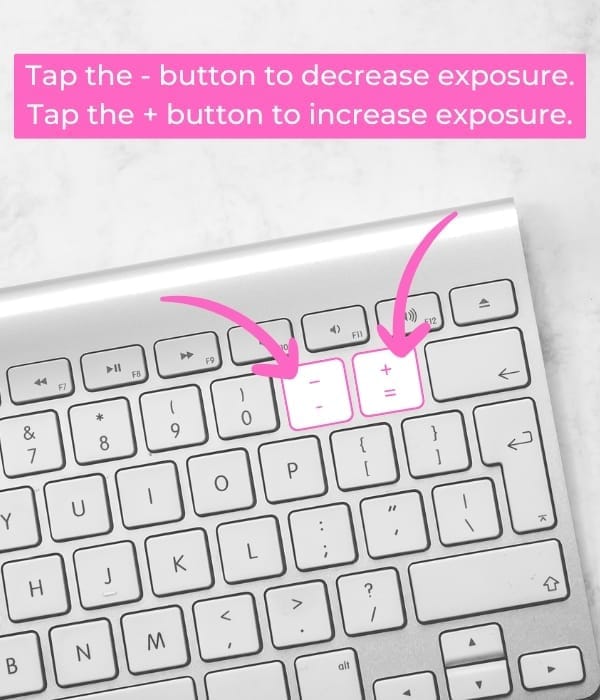
Why This is My Go-to Exposure Shortcut:
It speeds up fine-tuning exposure while keeping you “in the zone” when editing.
It’s perfect for making small adjustments to the exposure.
It keeps your hands off the mouse or trackpad which can prevent wrist pain.
Shortcut #2: Match Total Exposure in Lightroom
If you change your exposure settings in a set of images with the same background and lighting, there’s a way to get Lightroom to automatically match the exposure of multiple images to one image in the batch.
It’s called Match Total Exposure.
What It Does:
This hidden feature automatically adjusts the exposure of selected images to match the brightness of a reference photo—without applying the same exact exposure value to all. Instead, it calculates the necessary adjustment based on each image’s original brightness. 🤯
How to Apply It:
Step 1:
Find a batch of images in a similar setting where you adjusted your camera's exposure settings. Some photos might be dark and some might be bright.
If you have one that’s got the best exposure, that will be your highlighted image to match the rest to. If you need to adjust the exposure to one to make it the one to match to, you can do that too.
Step 2:
In the Develop module, select the image that has the correct exposure, then use shift or command to highlight the other images you want to match to the first image. Make sure the first image stays highlighted.
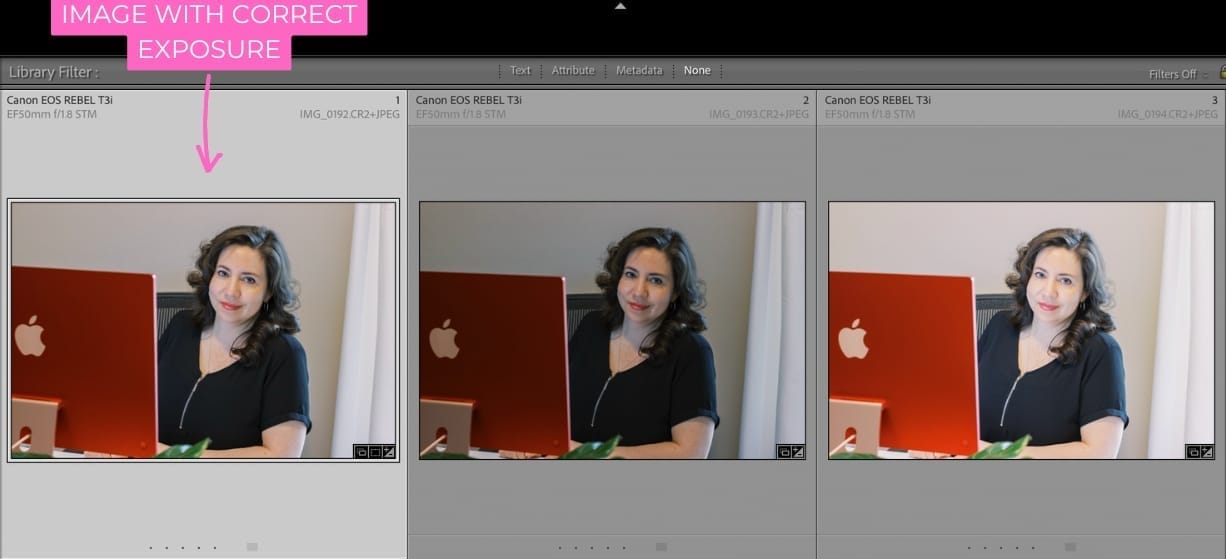
Step 3:
In the top toolbar in Lightroom, click on Settings, then Match Total Exposure. (If you don't see "Settings" it's because you aren't in the Develop module.)
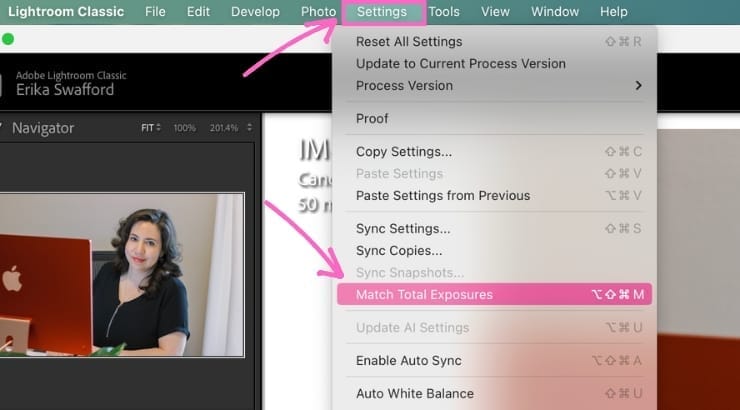
Voila! Now all the images will be set to the exposure as the first one. How cool is that?!
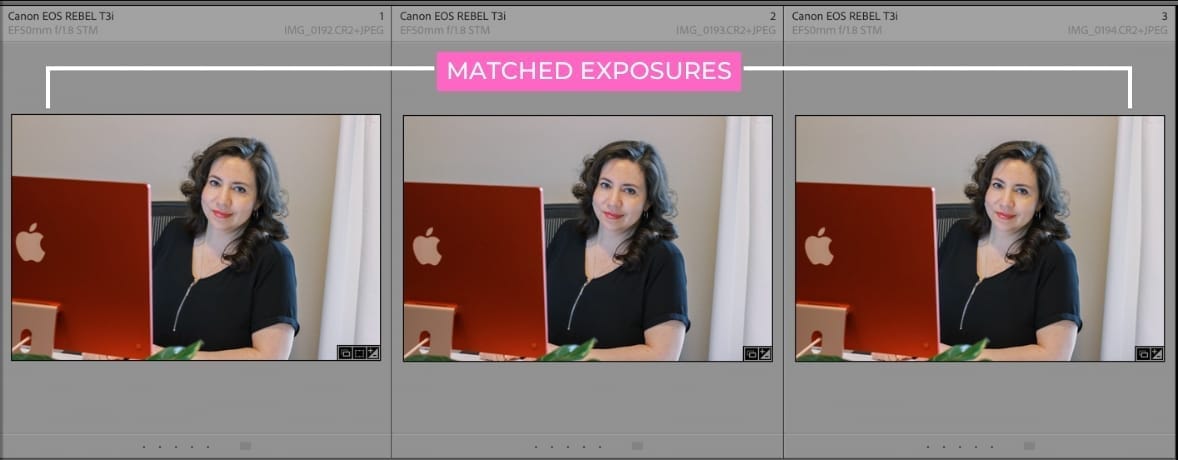
When It Works (and When It Doesn’t):
This ONLY works if you changed your exposure settings in-camera while the lighting itself stayed the same. If the LIGHTING itself changed and your camera settings were the same, this will NOT work.
This editing tip is a bit hit-and-miss in my work as a private photo editor. Sometimes it works and sometimes it doesn’t. When it does work, it’s a HUGE time-saver and makes me so happy. 😊
When to Use Each Shortcut
Keyboard shortcut -/+
Quick exposure tweaks on individual images.
Match Total Exposure
Balancing exposure across multiple images for consistency in a batch edit.
Try It Out!
The best way to speed up your editing isn’t just with shortcuts like these—it actually starts with how you shoot. Want to edit less without sacrificing quality?
Check out my free mini-workshop, Shoot To Edit Less, where I teach seven simple shooting strategies that make editing easier and faster. Sign up for the free mini-workshop here!
Happy editing,
Erika

Check Out the Newest Posts
Hey there photographer!

I'm Erika. I'm a private photo editor for wedding photographers and photo editing educator. Think of me as your techy friend who loves figuring out the shortcuts in Lightroom Classic so you don't have to.


Blog Categories


(Affiliate Code)


Online private photo editor based in Cleveland, Tennessee, serving wedding photographers worldwide.
Services
Color Correction
Style Matching
Lightroom Classic Retouching
Image Culling

Copyright © 2020-2026 Erika Swafford. All Rights Reserved
Created with Systeme.io