
SIMPLE SHORTCUTS & SECRETS
Photo Editing Made Easy
For busy wedding & portrait photographers so you can close that laptop sooner.
Lost Your Lightroom Toolbar? Bring It Back with 1 Tap
I'm always losing my hubby.
How? Usually in the grocery store.
Thank goodness for cell phones! They make finding each other in a huge store so much easier than wandering the aisles, frustrated or panicked, when you can’t find the other person.
I had that same frustrated/panicked feeling the other day when my toolbar disappeared in Lightroom.
Wait, can it disappear?
Yes. Yes, it can.
It took me a couple of minutes to figure out how to bring it back, so I’m sharing it with you in this post. You don’t know when it’ll vanish—like if your cat decides to take a stroll across your keyboard. 😺
Your Weekly Photo Editing Tip
The toolbar in Lightroom Classic is something I use daily—and you probably do too. It’s visible in both the Library Grid and the Develop module. Take a look below:
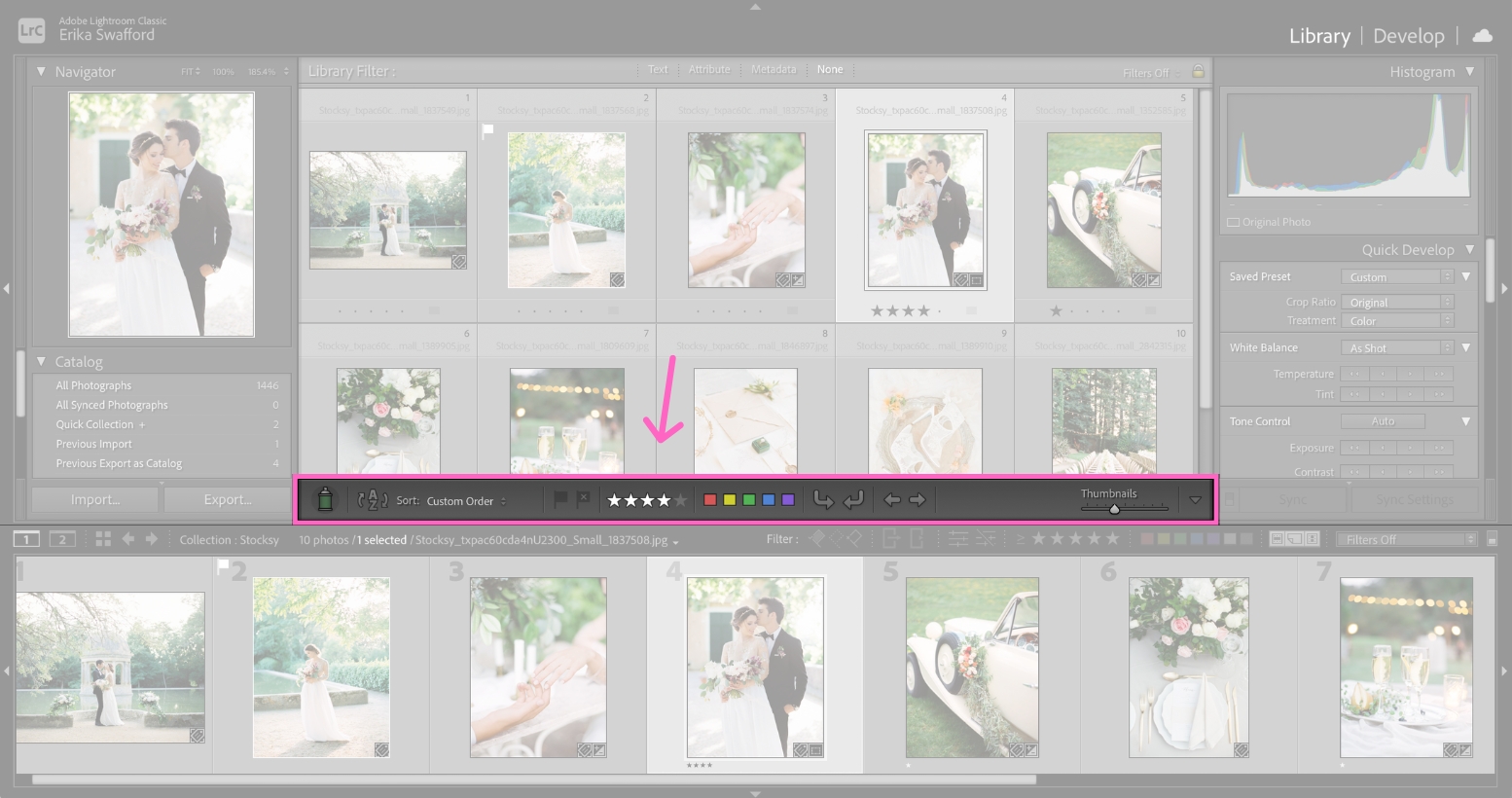
If it ever mysteriously disappears, don’t worry—it’s super easy to bring back.
Step 1
Simply tap the “T” on your keyboard. Tada!

If you decide you don’t need the toolbar for a while, you can hide it by tapping “T” again.
I think I did this by accident when my toolbar disappeared. (Or maybe Minnie, my cat, did when she wanted me to feed her.)
Has anything mysteriously disappeared on you in Lightroom? (Or not so mysteriously, ha!)
I got you covered with your toolbar, at least. 🙌🏻
Happy editing,
Erika

Check Out the Newest Posts
Hey there photographer!

I'm Erika. I'm a private photo editor for wedding photographers and photo editing educator. Think of me as your techy friend who loves figuring out the shortcuts in Lightroom Classic so you don't have to.


Blog Categories


(Affiliate Code)


Online private photo editor based in Cleveland, Tennessee, serving wedding photographers worldwide.
Services
Color Correction
Style Matching
Lightroom Classic Retouching
Image Culling

Copyright © 2020-2026 Erika Swafford. All Rights Reserved
Created with Systeme.io