
SIMPLE SHORTCUTS & SECRETS
Photo Editing Made Easy
For busy wedding & portrait photographers so you can close that laptop sooner.
Use the Lights Out Modes in Lightroom Classic
Hey look at that—it’s the second Monday of the year! And in Tennessee we got our first snow of 2025 last Friday—and it’s most likely the ONLY snow we’ll see this year.
(Snow is very rare here so it’s more exciting than if you live somewhere that gets snow all winter.)
My hubby stayed home so it was a cozy couple of snow days. 🥰🌨️
Anyway, enough about the weather. Let’s talk about a view in Lightroom that can black out your screen so all you see are your photos.

Have you ever wanted to see the images in your library grid without the color labels, giant numbers or other information cluttering up the view?
If so, then you need to start using the Lights Out modes in Lightroom Classic. Here’s how it works:
Step 1
Make sure you’re in the library grid.
Step 2
Tap the “L” key on your keyboard. You’ll notice that your screen will darken quite a bit except for your photos.
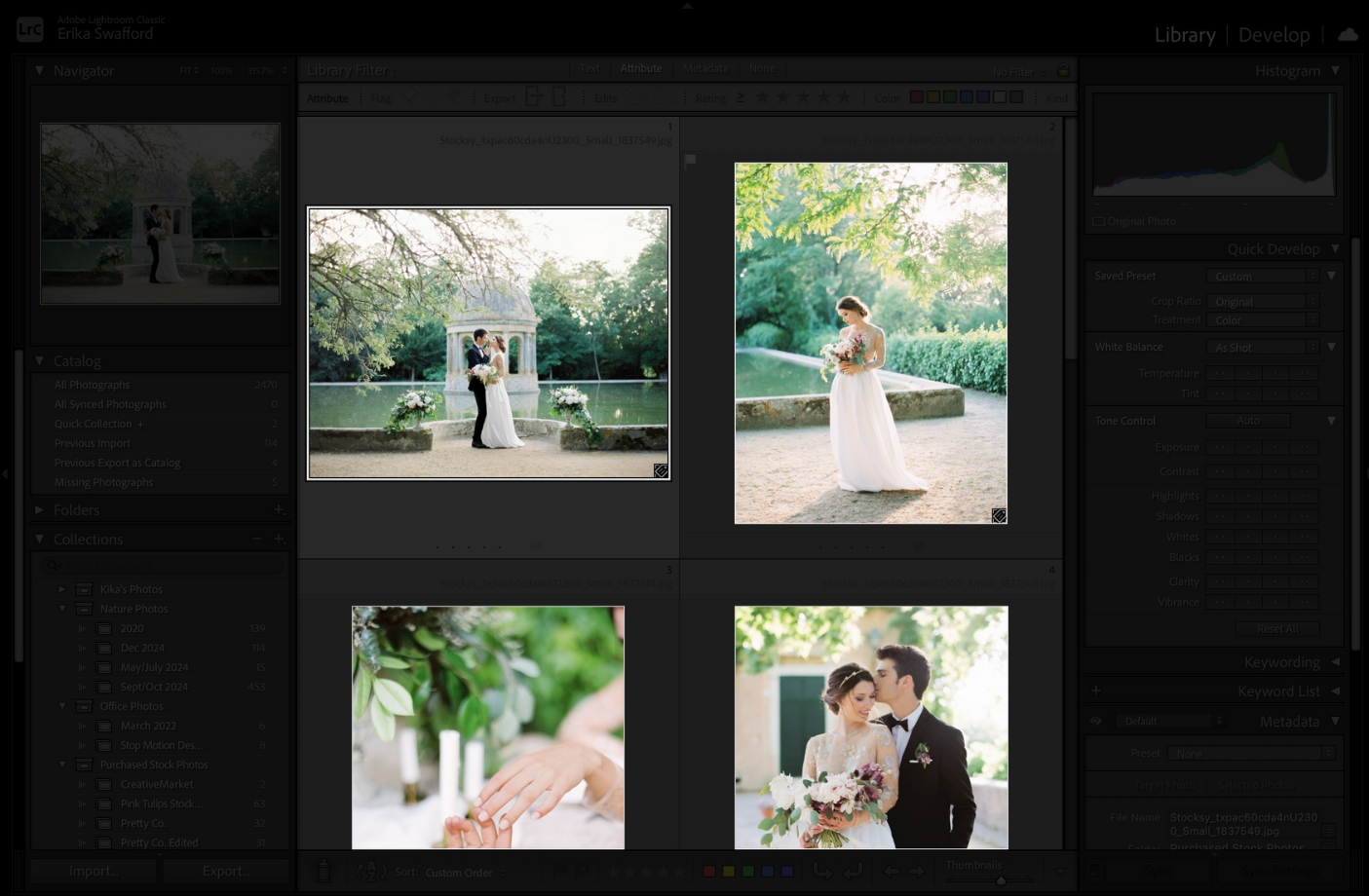
Step 3
Tap the “L” key a second time and your screen will go black except for your photos. Now you can scroll through your catalog without distractions!
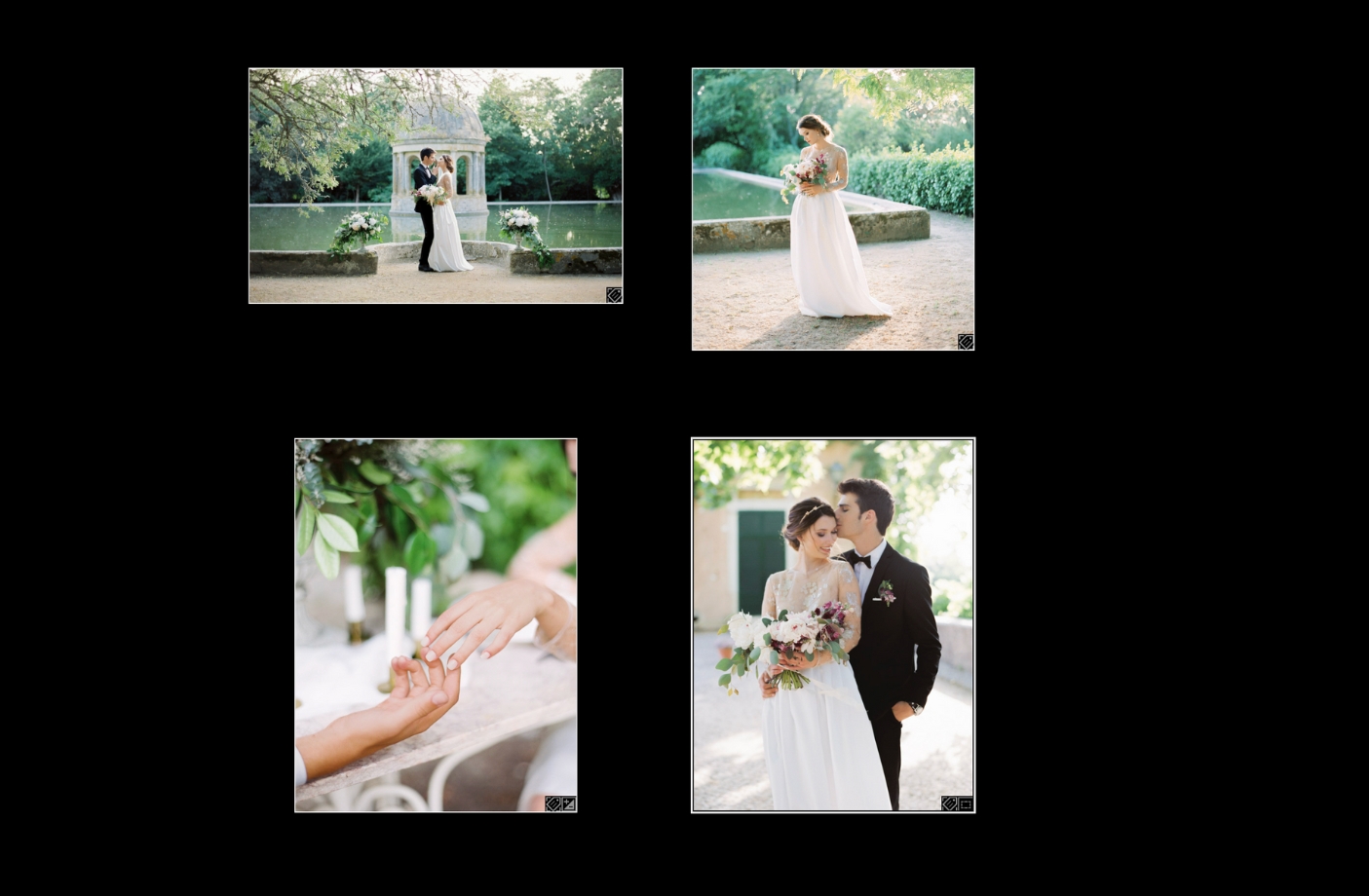
Step 4
Tap the “L” key one more time to go back to the normal view.
Have you tried this before?
👉🏻 Pro tip: This can be a great way to review a catalog for consistency before delivering a gallery. And it’s just fun! 😄
That’s all for this week. If you are having a snow day today, I hope you’re cozy.
Happy editing,
Erika

Check Out the Newest Posts
Hey there photographer!

I'm Erika. I'm a private photo editor for wedding photographers and photo editing educator. Think of me as your techy friend who loves figuring out the shortcuts in Lightroom Classic so you don't have to.


Blog Categories


(Affiliate Code)


Online private photo editor based in Cleveland, Tennessee, serving wedding photographers worldwide.
Services
Color Correction
Style Matching
Lightroom Classic Retouching
Image Culling

Copyright © 2020-2026 Erika Swafford. All Rights Reserved
Created with Systeme.io